

Overview
Business KYC (Know Your Business), also referred to as KYB, is the process of verifying that a company or organisation is legitimate, properly registered, and not involved in financial crime or sanctions violations. Verify Group supports two levels of business verification:- Standard Business KYC — Confirms the company’s registration details, legal name, and registered address using official business registries.
- Advanced Business KYC — Adds compliance checks, Ultimate Beneficial Owner (UBO) identification, financial health data, and sanctions screening for the business and its key persons.
Standard Business KYC
The Standard flow verifies the basic legal existence of a company.Step 1 — Enter the business details
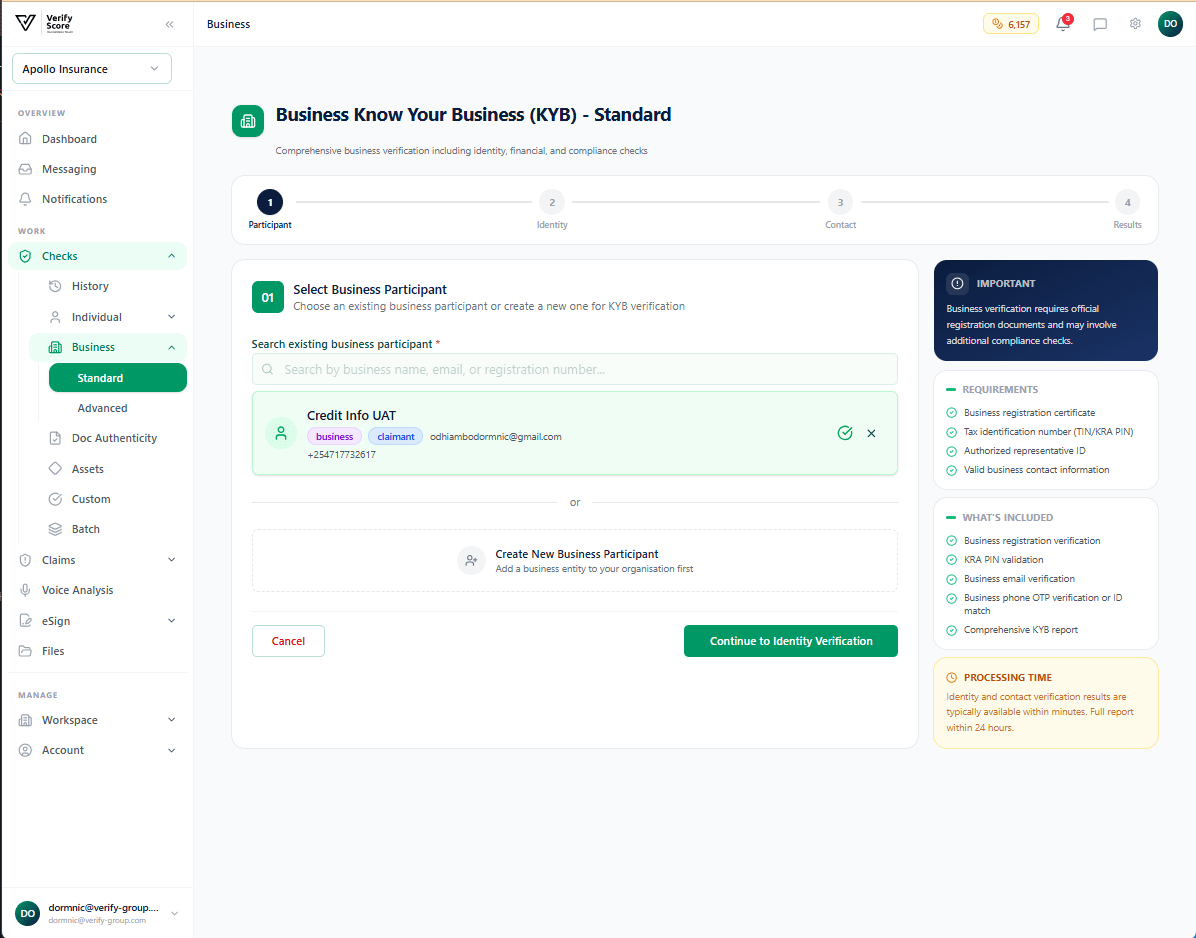
- Business Name — the full registered legal name of the company (not a trading name or abbreviation)
- Registration Number — the company registration number issued by the relevant government registry (e.g., Companies Registry, Business Registration Bureau)
- Country of Registration — the country where the business is legally incorporated
- Business Type — whether the entity is a private limited company, public company, sole proprietorship, partnership, NGO, etc.
Step 2 — Verify the registered identity
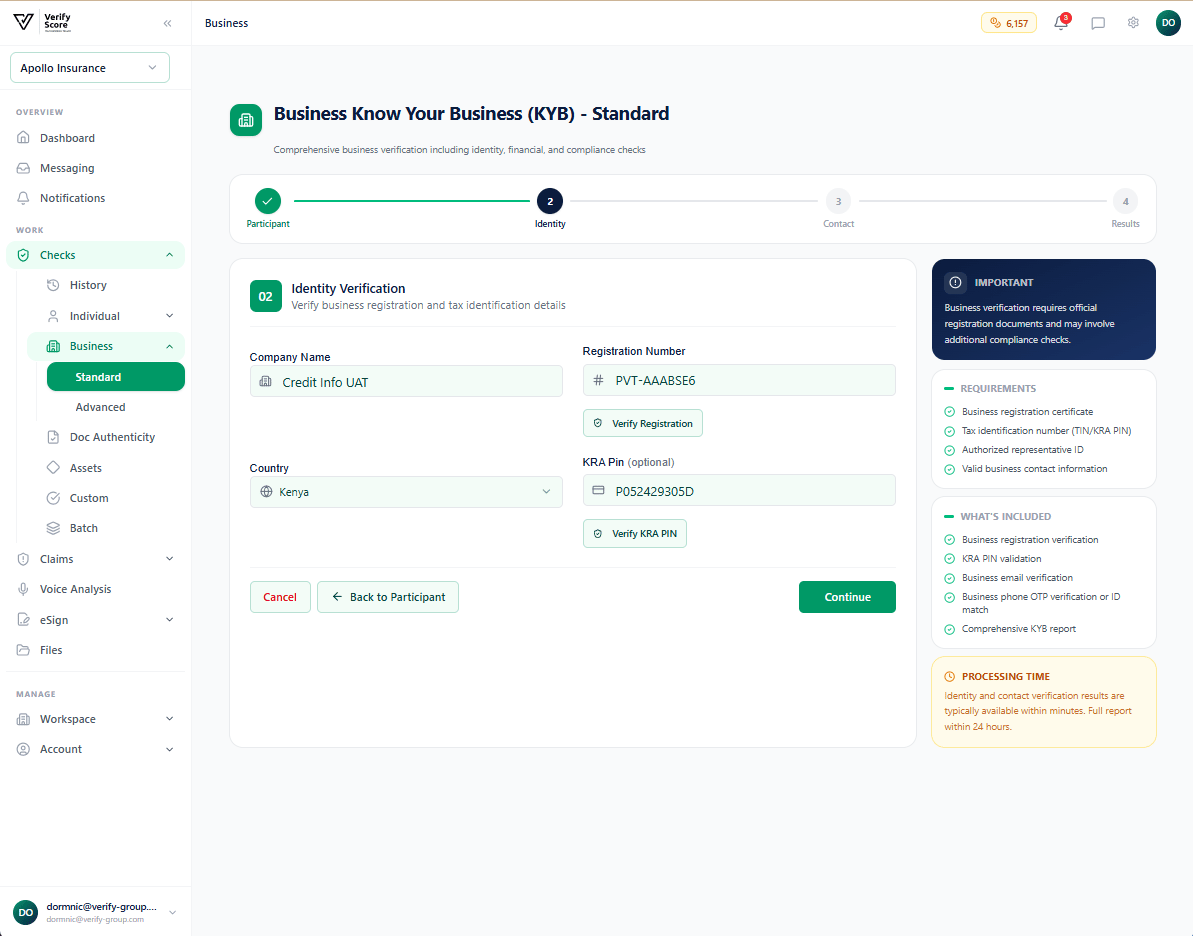
A green Active badge confirms the company is in good standing. If the status is anything other than Active, escalate to your legal or compliance team before proceeding.
Step 3 — Contact verification
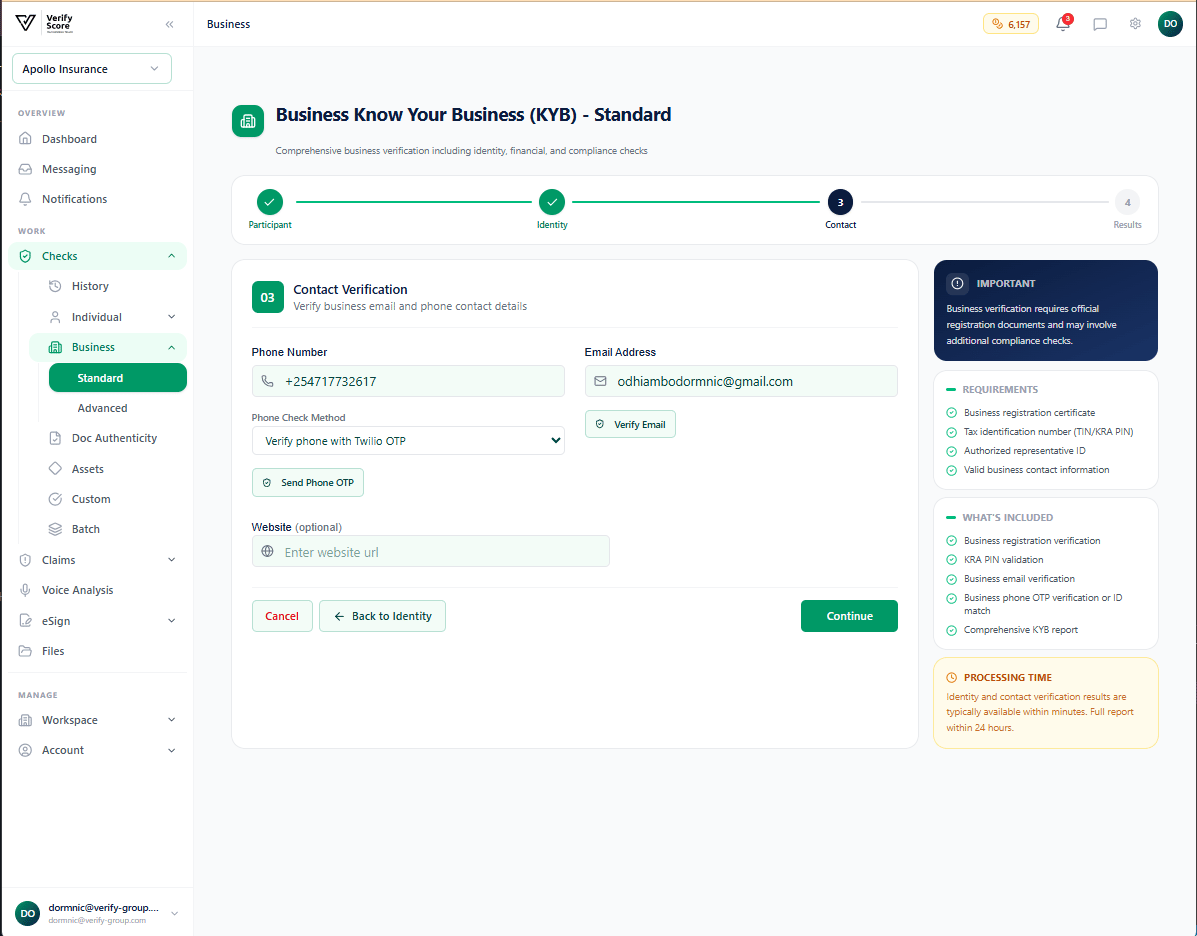
- Business email address — a verification link is sent to the company’s registered email
- Business phone number — a one-time code is sent to confirm the number is active and accessible
- Registered website — the platform checks whether the domain is active and matches the business name
Step 4 — Review the Standard result
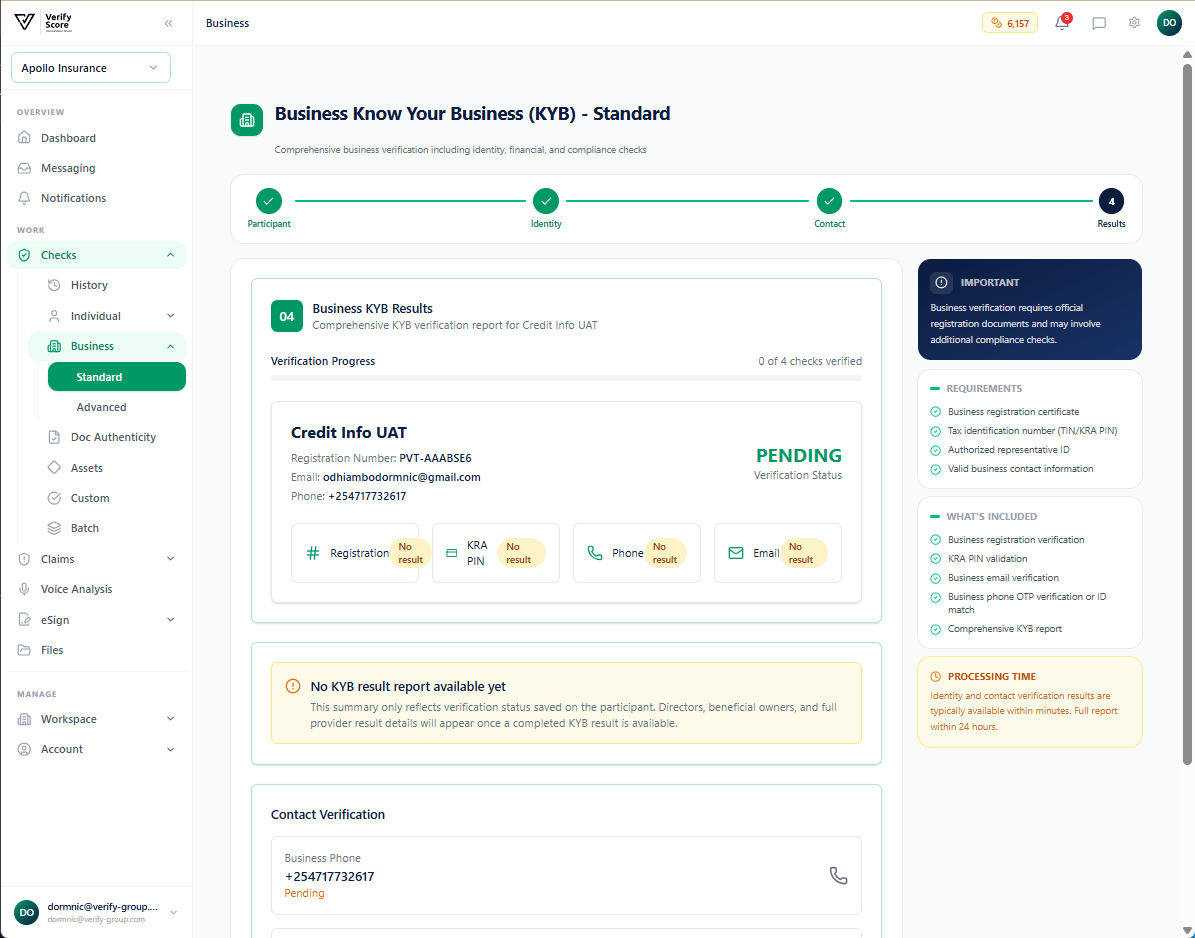
- Overall status — Verified, Failed, or Manual Review
- Registry match confidence — how closely the submitted data matched the official registry
- Identity details — the company data returned by the registry
- Contact verification — pass/fail for email, phone, and website
Advanced Business KYC
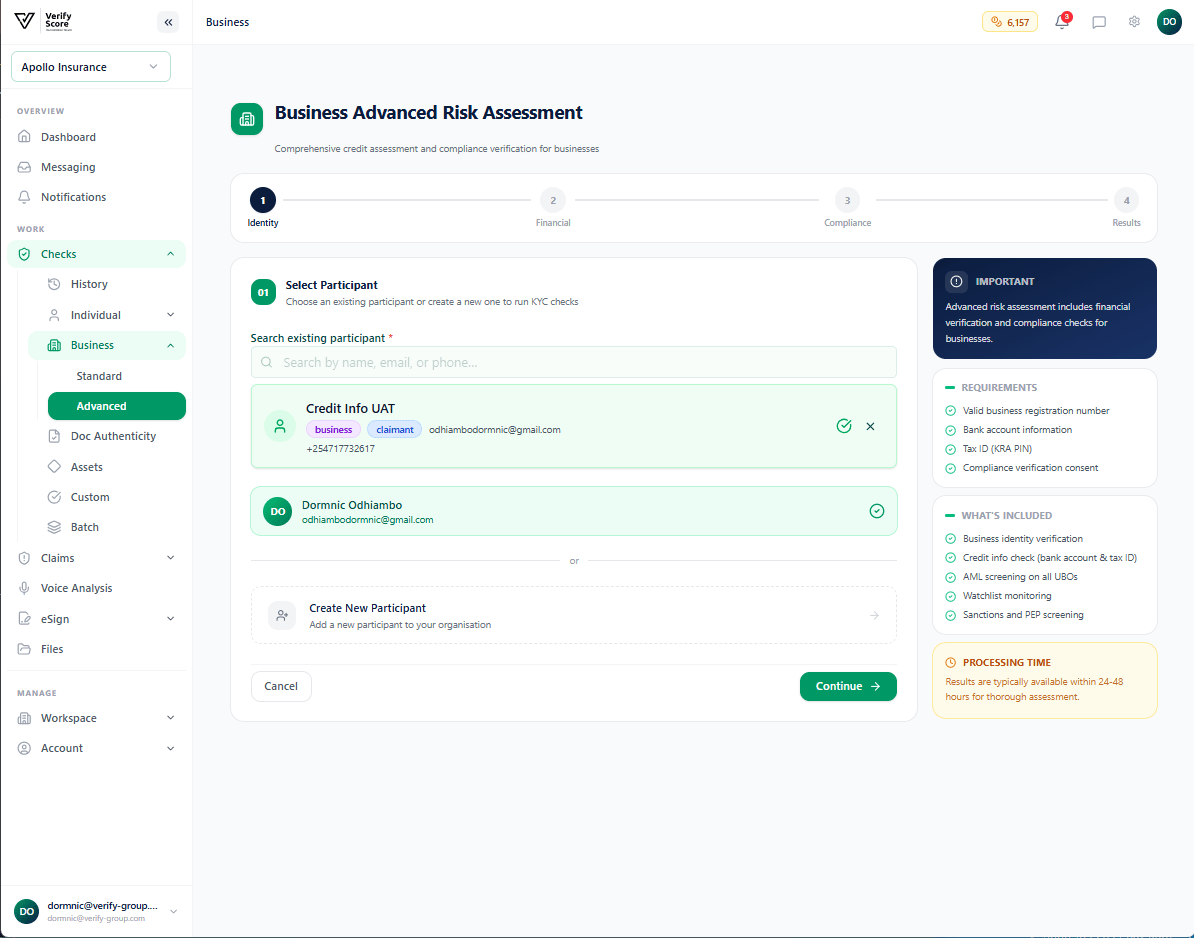
The Advanced flow adds deeper due diligence layers that are required for higher-risk business relationships, insurance underwriting, and regulated industry onboarding.Step 1 — Start the Advanced check
Step 2 — Compliance and regulatory screening
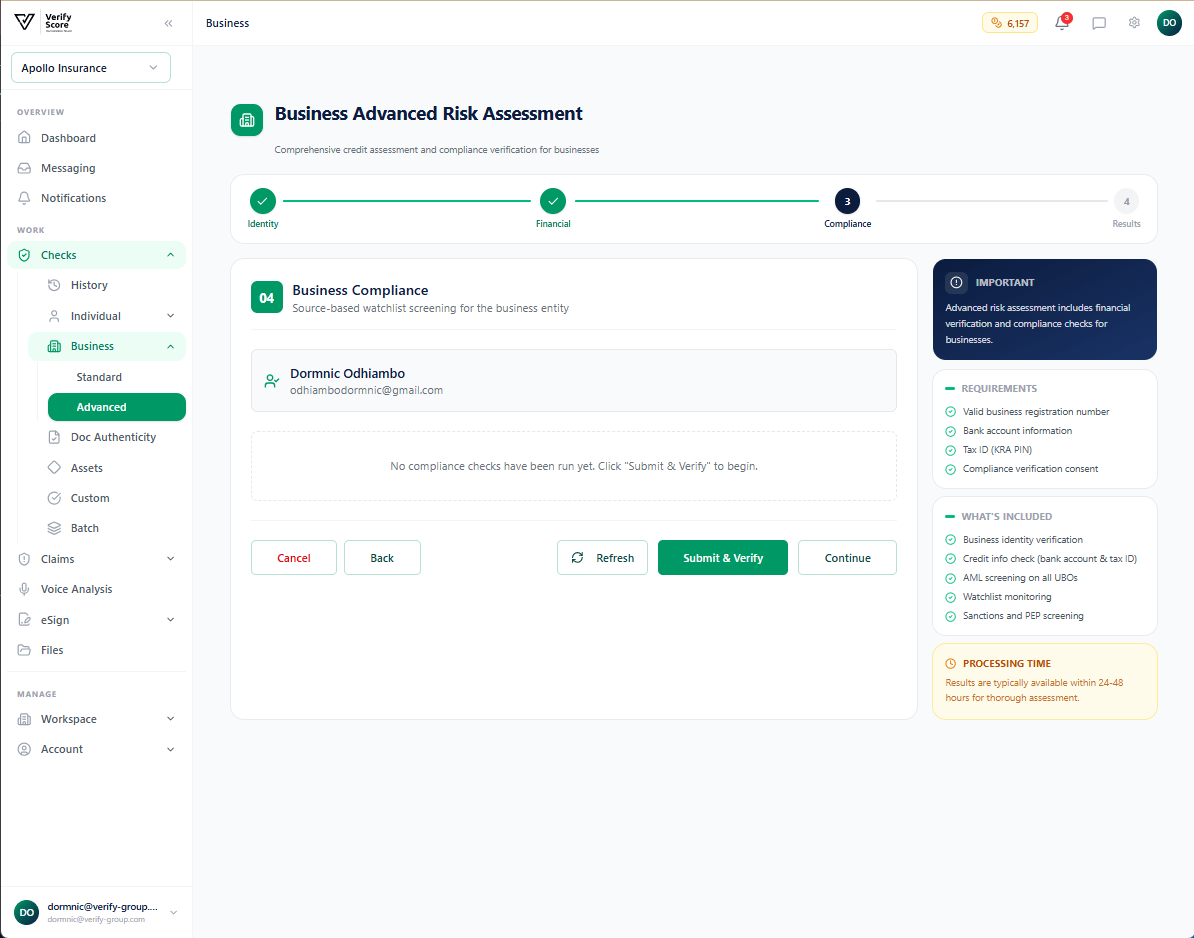
- Global sanctions lists — OFAC, UN, EU, UK, and regional lists
- Politically Exposed Persons (PEP) lists — checking whether directors or UBOs are government officials or politically connected individuals
- Adverse media — automated news screening for negative coverage linked to the business name or its key persons
- Regulatory enforcement databases — financial regulator actions, court orders, and debarment lists
A PEP hit does not automatically disqualify a business — it triggers Enhanced Due Diligence (EDD) requirements under most AML regulations. Your compliance team will need to assess the specific risk and approve or decline the relationship.
Step 3 — Financial health verification
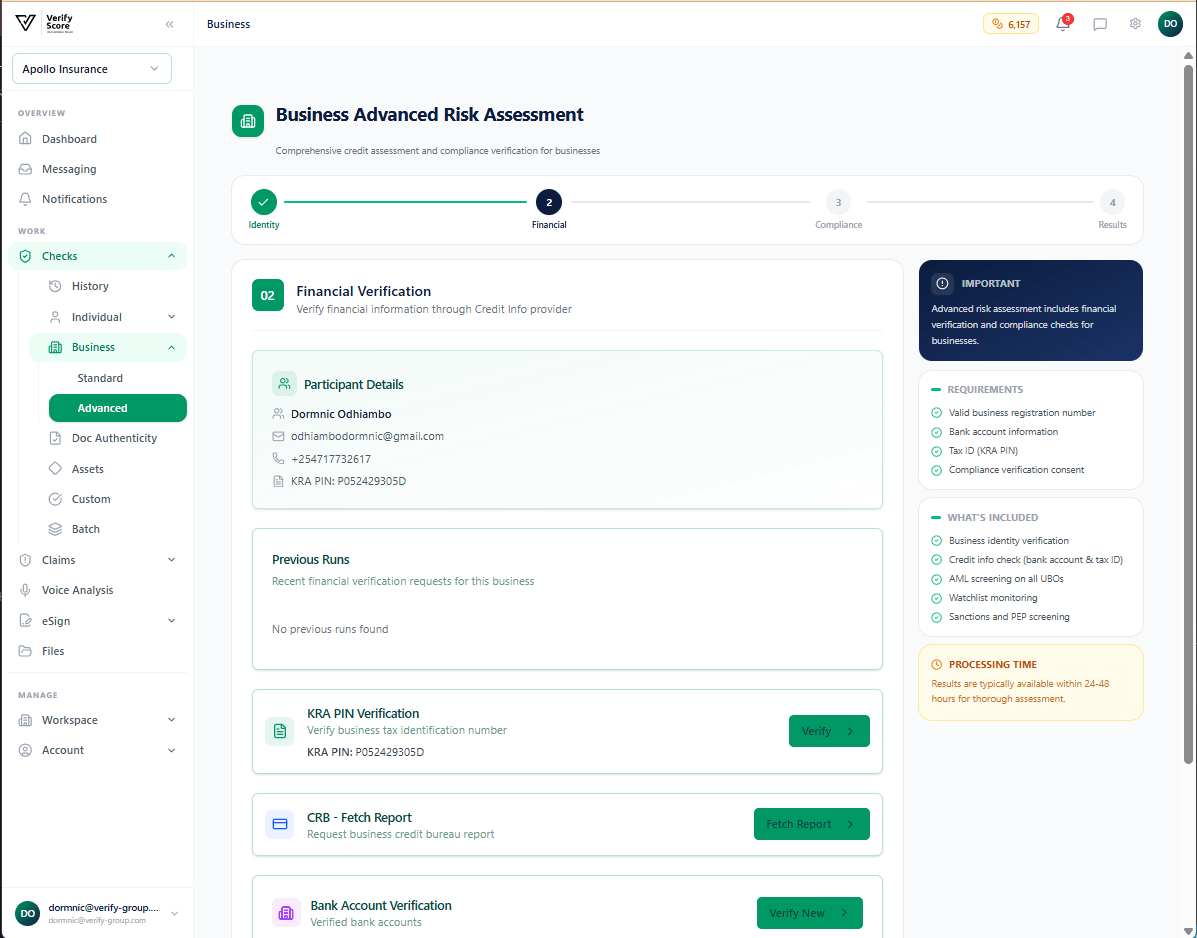
This information is critical for insurance underwriting (assessing the risk of a commercial policy) and trade credit decisions (assessing the risk of extending payment terms).
Step 4 — Review the Advanced result
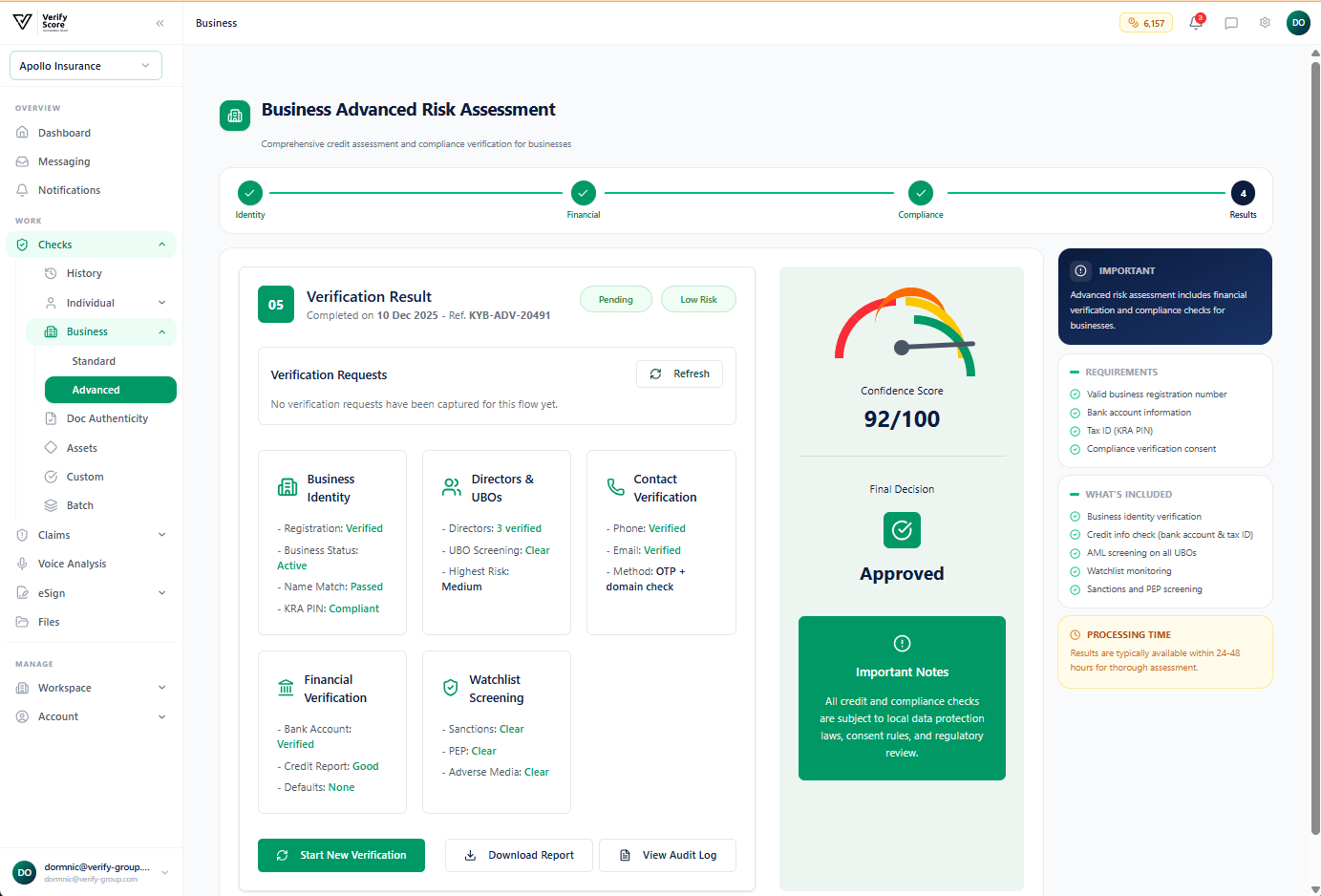
From this screen, your team can:
- Approve the business for onboarding
- Request additional documentation for manual review
- Decline the business relationship based on the findings
Understanding beneficial ownership
Ultimate Beneficial Owner (UBO) screening identifies the real human beings who ultimately own or control a company, even when ownership is structured through layers of holding companies. Verify Group’s Advanced Business KYC automatically attempts to identify UBOs from registry data and presents them for individual screening. If a UBO is identified, you can run an individual KYC check on them directly from the business verification result page.Next steps
Document Verification
Verify physical documents submitted by the business.
Individual KYC
Run checks on individual directors or beneficial owners.